

Mac app · macOS 26 and later
StickyPeels: a sticky notes app for Mac with reminders
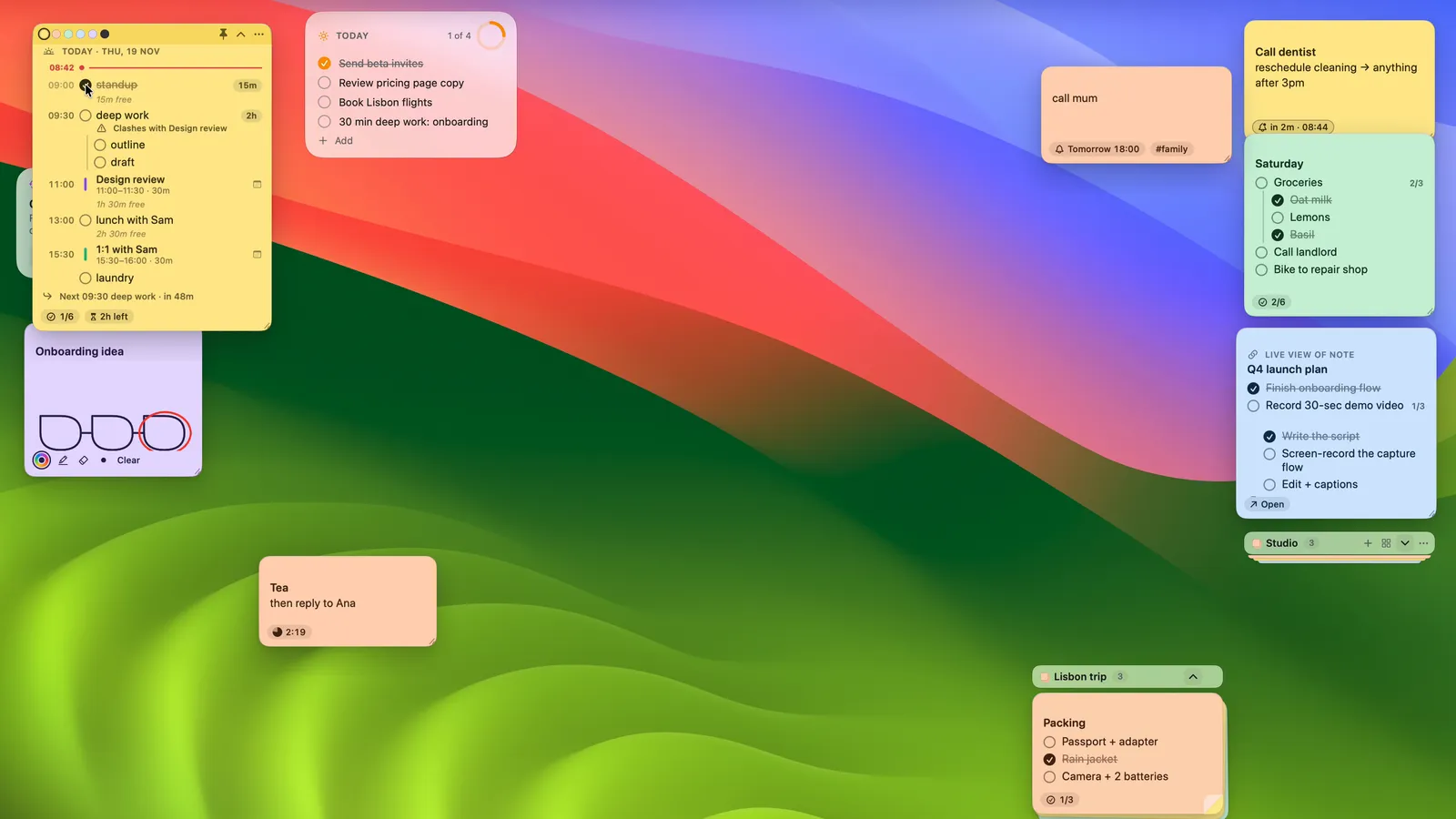
Press your capture shortcut, type a thought, and it sticks to your desktop. When it grows up, it becomes a page with to-dos, tables and links, and the sticky stays live-linked to it.
Coming soon to the Mac App Store
From thought to desktop in a keystroke
Pick your own shortcut and use it from any app. StickyPeels reads “tomorrow 6pm”, #tags and comma lists, then picks the colour, reminder and checklist for you.
A sticky that is also a page
Pin any note to your desktop. Tick a box on the sticky and the page updates. Edit the page and the sticky follows.
Plan My Day
Type “9:30 deep work 2h” and it becomes a timed block. Your calendar events show in between, and unfinished items move to tomorrow in one click.
Blocks, not bloat
Type / for headings, to-dos, callouts, drawings, tables and boards. Tab turns any to-do into a subtask, and progress rolls up to the parent.
Remembers for you
Reminders that keep nudging until you're done, timers on any sticky, and old ideas that resurface at the right time.
Your notes stay on your Mac
No account and no cloud. Everything is stored on this Mac and backed up with Time Machine like any other file. Export any note to Markdown, free.
Support
Get help
Email eliud@munyala.pro with what happened and your macOS version. I reply within one working day, usually sooner.
Privacy policy · Shorthand cheat sheet · Reminder maker · Free templates · Microsoft Sticky Notes on Mac · Reminders on your Mac desktop · Press kit
FAQ
Common questions
What does it cost?
StickyPeels is free for unlimited stickies and notes, Quick Capture, checklists, drawings, reminders, timers, Plan My Day and two pads. Pro adds live-linked stickies, unlimited pads and desktop sets, tables and boards, Canvas, meeting stickies, resurfacing, version history and note lock. Pro is US$24.99 once, or US$6.99 a year.
How does the free trial work?
Open any Pro feature and choose “Try Pro free for 14 days”. There's no card and no account, and nothing is charged when it ends. The yearly plan also starts with 14 free days, and you can cancel before it renews.
I bought Pro on the Mac App Store. How do I get it on another Mac?
Sign in with the same Apple Account, open the Pro screen and choose Restore Purchases.
How do I cancel the yearly plan?
In System Settings › Apple Account › Media & Purchases › Subscriptions. You keep Pro until the end of the year you've paid for. If you use a licence key instead, manage it from the link in your receipt email.
How do I get a refund?
App Store purchases are refunded by Apple: ask at reportaproblem.apple.com. For a licence key, email me within 14 days of your order.
What happens to my notes if I stop paying?
Nothing is deleted. You keep reading, editing and exporting everything. Pro items you made stay; making new ones needs Pro again.
Why is there no capture shortcut when I first open it?
So it never clashes with a shortcut you already use. Pick one in Settings › Shortcuts and it works from any app. Until then, use the menu bar extra.
Does it sync between Macs?
No. Your notes are stored on this Mac only. You can export any note to Markdown at any time.
Which Macs does it run on?
Any Mac with macOS 26 or later.